Scheduling the Export
Once you've saved a new or existing export with Automatic Export enabled, DMS displays a command to paste into the cron section of your hosting panel.
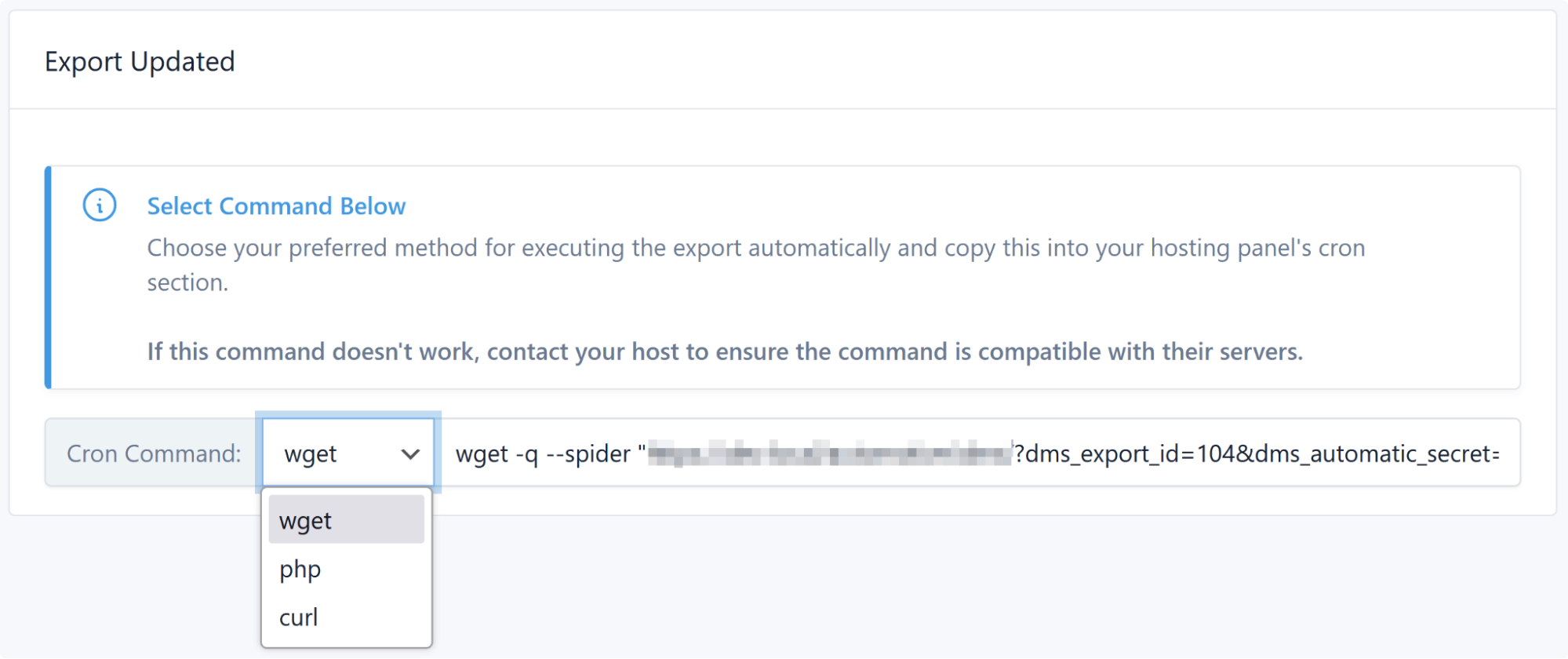
The command appears in two places:
- On the final step of the export wizard, right after saving.
- On the run screen of any export already saved as automatic (where the manual Start Export button is hidden).
Choosing a command
Use the dropdown to switch between four forms of the same job. Depending on your hosting or server configuration you may need to change the default wget to php, curl, or WP-CLI.
| Method | Command | Use when |
|---|---|---|
wget |
wget -q --spider "https://example.com/?dms_export_id=8&dms_automatic_secret=KEY" |
Default. Works on most shared hosts. |
php |
/usr/bin/php -q /home/user/public_html/index.php dms_export_id=8 dms_automatic_secret=KEY |
wget isn't available, or you want to bypass HTTP and web-server timeouts. |
curl |
curl --silent "/home/user/public_html/index.php?dms_export_id=8&dms_automatic_secret=KEY" |
curl is present but wget isn't. |
wp-cli |
wp dms export 8 |
WP-CLI is installed. Best option for large inventories. |
Copy the exact command from your own export screen — the URL, path, export ID, and secret key are specific to that export.
Prefer WP-CLI for large inventories
The wp dms export <id> command runs outside the web server, so there is no HTTP timeout to hit. It also purges the page cache before reading, so the exported file reflects current data rather than a cached view.
Adding the cron entry
Paste the command into your hosting panel's cron section (cPanel: Advanced → Cron Jobs; Plesk: Scheduled Tasks), or add it to a crontab directly:
That example runs every four hours. Match the frequency to how often the consumer of the feed actually reads it — a marketplace that polls your file nightly gains nothing from an hourly export.
If you need help generating the crontab schedule, use this helpful tool: crontab-generator.org.
Running it manually
The automatic export runs in a single pass with no browser involved, so you can test the schedule at any time:
- Open the generated URL in a browser (for the
wget/curlforms). A blank page means the request was accepted. - Or run the
php/wpcommand from a shell.
Then check DMS → Import/Export for a new log entry with the Automatic badge, and confirm the file landed at its destination — on disk, or on the FTP target configured in the export.
Each automatic run writes a full export log, so you can review row counts and errors exactly as you would after a manual export.