Dealership Locations
Your business details live in Dealer.ms → Settings → SEO Schema, under Locations.
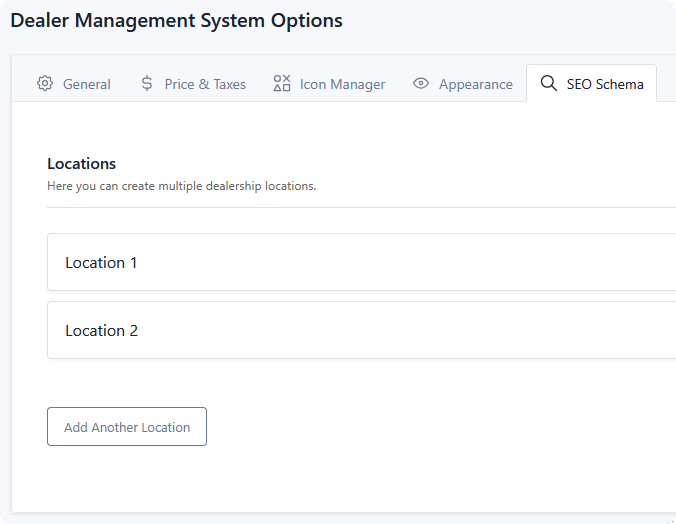
This is a repeatable group — add one location for a single dealership, or several if you operate multiple lots. Each can be reordered, collapsed, and removed.
Location fields
| Field | Notes |
|---|---|
| Business Name | Also used as the identifier when assigning a location to inventory, so keep names distinct. |
| Business Logo | Shown as the business image in structured data. |
| Business Type | The most specific type that fits — Auto Dealer, Auto Body Shop, Auto Rental, Auto Repair, Auto Wash, Gas Station, Motorcycle Dealer, Motorcycle Repair. Leave on the default for a generic local business. |
| Business Phone | |
| Business Street Name | |
| Business City | |
| Business State/Province | |
| ZIP/Postal Code | |
| Business Country | Use the two-letter code — US, CA. |
| Business Hours | 24-hour format with two-letter days, comma separated: Mo-Fr 09:00-17:00, Sa 10:00-14:00. |
| Business Social Links | One URL per line. These become the business's verified profiles. |
| Business Page Link | A page on your site for this location. Strongly recommended when you have more than one — it gives each location its own URL rather than pointing them all at your homepage. |
Give each location a real page
With multiple locations, build a page per location carrying details specific to it — its address, hours, phone, staff, directions — and point Business Page Link at it.
A location whose URL is your homepage tells a search engine nothing that distinguishes it from the others. A dedicated page gives each branch something to rank on its own.
Fill in as much as you can. Every field left empty is simply omitted from the output, so a partial address produces partial structured data rather than an error — but address, phone, and hours are what make a local business listing useful.
Business Hours format
The format is specific and unforgiving. Days use two-letter abbreviations, times use 24-hour clock, ranges use a hyphen, and separate entries use commas:
Closed days are simply left out — there's no "Su Closed" entry.
Multiple locations
Add a location per lot. The first location in the list describes the business as a whole, and every location — including the first — is also emitted as a department of it.
That structure tells a search engine "this is one business operating from these places", which is usually what a multi-lot dealer wants.
On the page chosen as a location's Business Page Link, the output changes. Only that location is emitted as the LocalBusiness (with its own name, address and page URL), the department list is dropped, and the Organization block uses that location's name and logo. Every other page keeps the structure above. If you also add your own LocalBusiness markup to a location page from another SEO plugin, you will get two entries for the same store, so use one or the other.
If you run genuinely separate businesses rather than branches of one, this extension's model won't describe that accurately.
Assigning inventory to a location
Once you have more than one location, you can tell each listing which one it sits at. This takes two steps.
1. Nominate a location category. On the listing type, under Settings → SEO Schema, set Location Category to the category that holds your lot or branch value. See Listing Schema.
2. Map each term to a location. Go to Categories, open that category, and edit each term. A Location Schema tab now appears — choose which of your locations that term corresponds to.
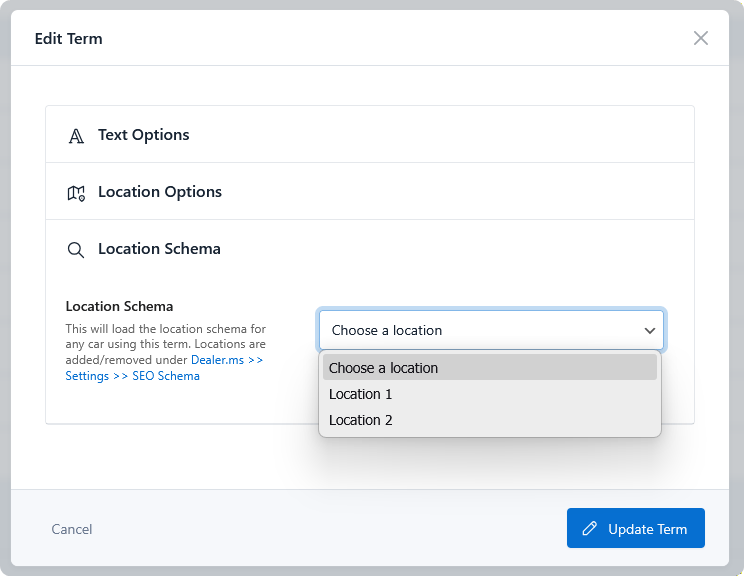
So a category called Lot with terms North Side and Airport Road gets each term pointed at the matching entry from your Locations list. Every listing carrying that term then advertises the address it's actually available at, with no per-listing work.
Terms left unassigned simply omit the location from that listing's structured data.
Organization
Alongside the location data, an Organization block is emitted on every page describing your business as a whole: name, logo, phone, social profiles, and your site URL.
It's built from your first location, which is treated as the business itself — the same way the LocalBusiness block treats it. Order your locations so your head office or main lot sits first.
Fixed in an earlier version
Versions before 1.3.1 emitted little beyond the site URL here, because the block read settings that the Locations group doesn't populate. If a validator reports a bare Organization entry, update.