Settings
The Favorites extension includes several settings to configure its integration with your Dealer Management System. These settings are located in the backend under:
Listing Type* → Settings → Favorites tab
*Your listing type may be Cars, Boats, Trucks, Trailers, etc.
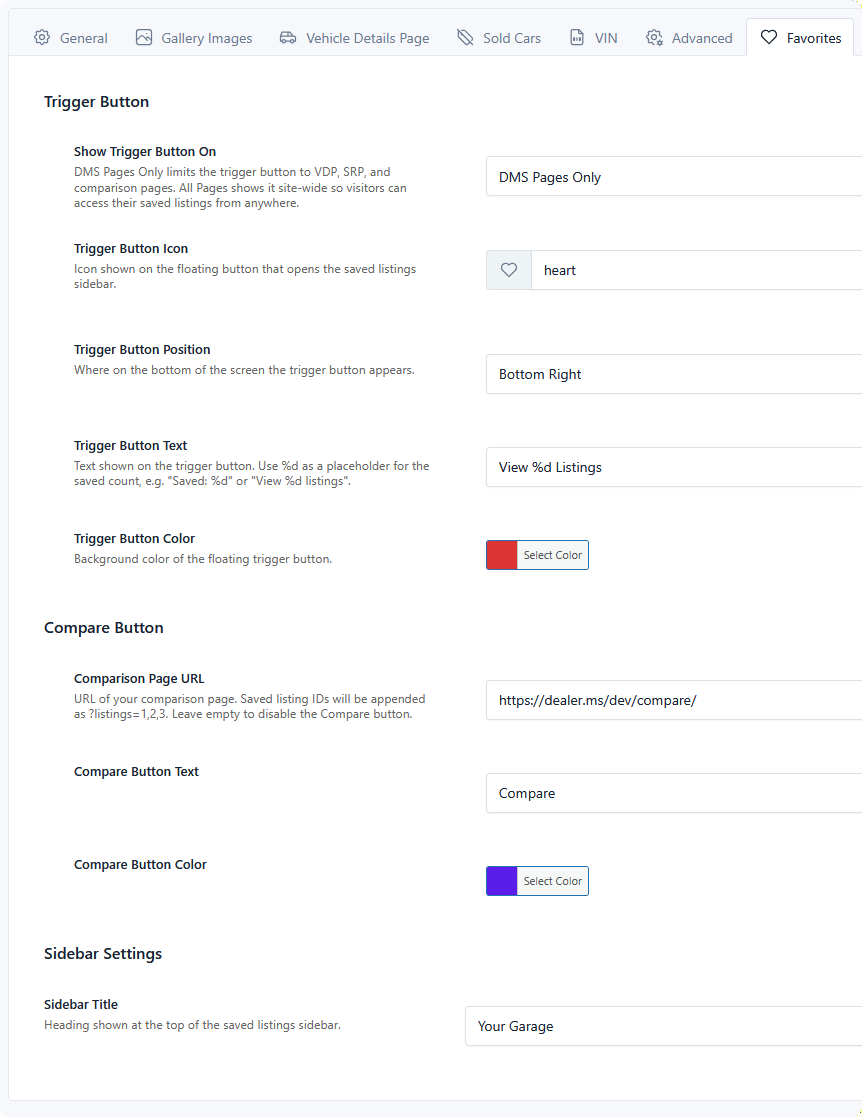
Settings are per listing type, so Cars and Boats can each have their own colors, wording, and comparison page.
These settings control the look and feel of the favorites sidebar that flies out.
Trigger Button
The trigger button is the floating button that opens the saved listings sidebar.
| Setting | Description | Default |
|---|---|---|
| Show Trigger Button On | DMS Pages Only limits the trigger button to VDP, SRP, and comparison pages. All Pages shows it site-wide so visitors can access their saved listings from anywhere. |
DMS Pages Only |
| Trigger Button Icon | Icon shown on the floating button. Leave empty for the built-in heart icon. | Heart |
| Trigger Button Position | Where along the bottom of the screen the button appears: Bottom Right, Bottom Left, or Bottom Center. | Bottom Right |
| Trigger Button Text | Text displayed to the user. Use %d to display the current number of saved listings, e.g. Saved: %d or View %d listings. |
— |
| Trigger Button Color | Background color of the floating trigger button. | #1d4ed8 |
All Pages needs no button element
With All Pages selected, the sidebar assets load everywhere, so the trigger is reachable from your homepage, blog, or contact page — not just inventory pages. Choose DMS Pages Only to keep the extra CSS and JS off unrelated pages.
Compare Button
| Setting | Description | Default |
|---|---|---|
| Comparison Page URL | URL of your comparison page. Saved listing IDs are appended as ?listings=1,2,3. Leave empty to disable the Compare button entirely. |
— |
| Compare Button Text | Text of the compare button. | Compare |
| Compare Button Color | Background color of the compare button. | #1d4ed8 |
The page you point at must contain the DMS comparison shortcode — that shortcode is what reads the listings parameter and renders the comparison. Without it the visitor lands on a page that ignores their selection.
Sidebar Settings
| Setting | Description | Default |
|---|---|---|
| Sidebar Title | Heading shown at the top of the saved listings sidebar. Often changed to something branded like My Garage. | Saved Listings |
Once configured, add the button itself — see Favorites Button Element.