Adding Fuel Data
After activating the extension you can immediately start adding city and highway values to your inventory. Editing a listing now shows a Fuel Efficiency panel:
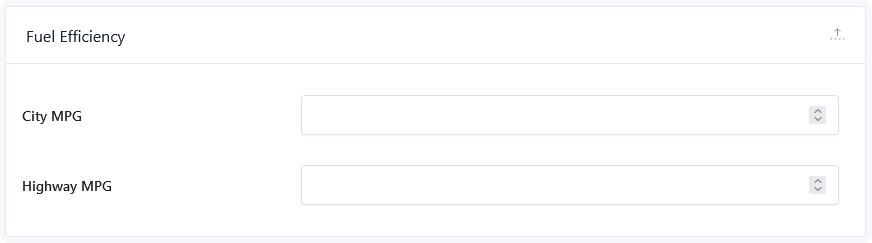
Two fields, both numeric:
| Field | Holds |
|---|---|
| City MPG | Consumption in city or stop-start driving |
| Highway MPG | Consumption at sustained speed |
Enter numbers only. The unit is added when the values are displayed, and it's set on the element rather than here — so you enter 28, not 28 MPG.
Filling in only one value
Both fields are optional and independent. A listing with only a highway figure shows only the highway figure; the layout adapts rather than leaving a gap.
Leave both empty and the element renders nothing at all on that listing.
Importing values in bulk
The two values are registered as listing data, so they're available in DMS imports and exports alongside your other fields — no need to enter them by hand across a large inventory.
Map your feed's economy columns to City MPG and Highway MPG when setting up an import, and they populate like any other field. The same applies to exports, so the figures travel with your data.
This is the practical route for a dealer whose feed already carries economy data — bulk import once, then only touch the fields on manually created listings.
Which figures to enter
Use the manufacturer's published ratings, or the figures from your inventory feed, and stay consistent across your inventory. Mixing rating standards across listings makes vehicles look better or worse than each other for reasons buyers can't see.
Consider adding a short note in the element's Description field to say where the figures come from — see Description. Fuel economy ratings are estimates, and a line saying so manages expectations.
Adding your own fields
Developers can extend the panel — a combined figure, an electric range, or a rating source — with the dms_fuel_efficiency_fields filter:
add_filter( 'dms_fuel_efficiency_fields', function ( array $fields ): array {
  $fields[] = [
    'id'   => 'dms_combined_mpg',
    'name' => esc_html__( 'Combined MPG', 'your-textdomain' ),
    'type' => 'number',
  ];

  return $fields;
} );
The element displays the two built-in values only, so anything added this way needs its own output — a template override, or your own element.